Discover
Check one IP address, a CIDR subnet, or an address range with the built-in network scanner
ProtoLink 1.4.0
Find devices on the network, connect via TCP or RS-485, start and analyze communication — all in one application
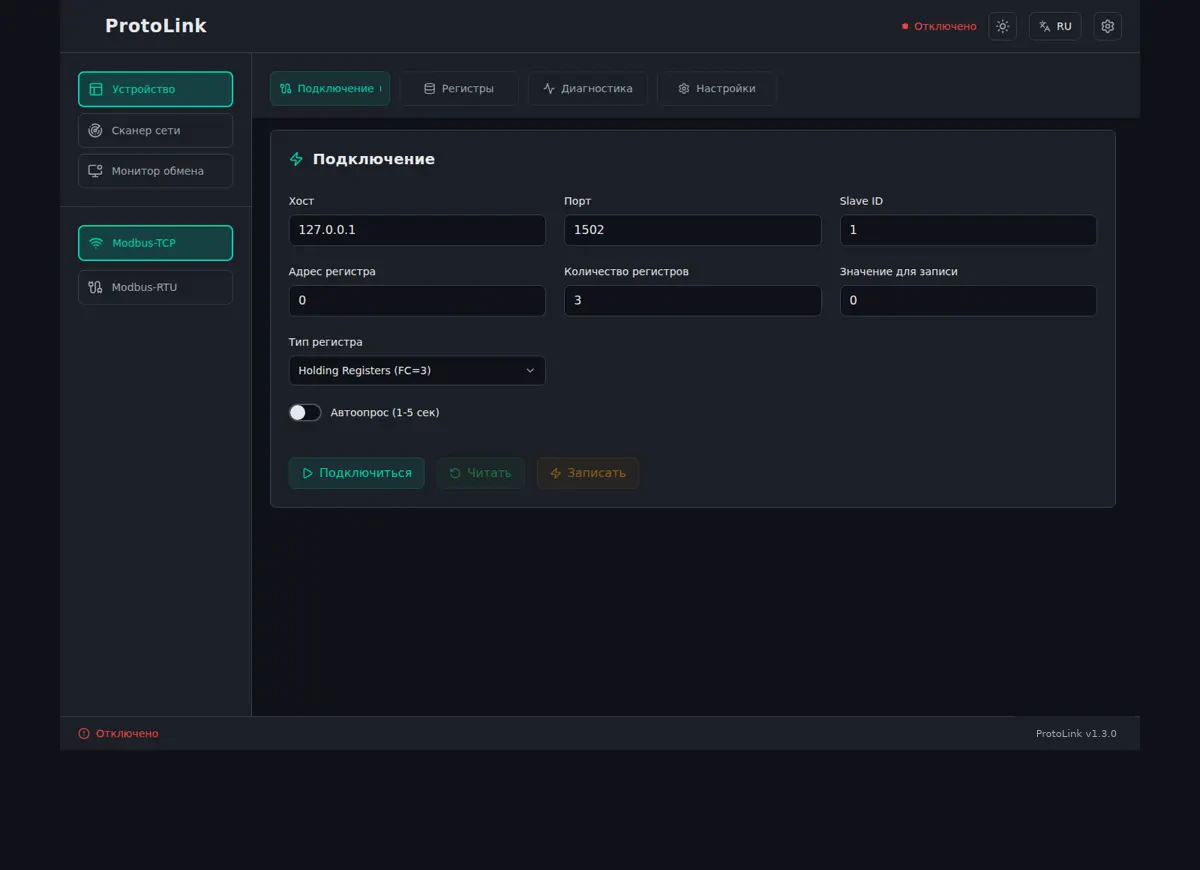
Workflow
ProtoLink combines the core functions needed to verify Modbus connectivity and communication
Check one IP address, a CIDR subnet, or an address range with the built-in network scanner
Specify the host and port for TCP or COM-port settings for RTU
Use read functions (FC01–FC04) and write functions (FC05/06/15/16)
Review requests, responses, and errors to quickly identify problems. Export the log when needed
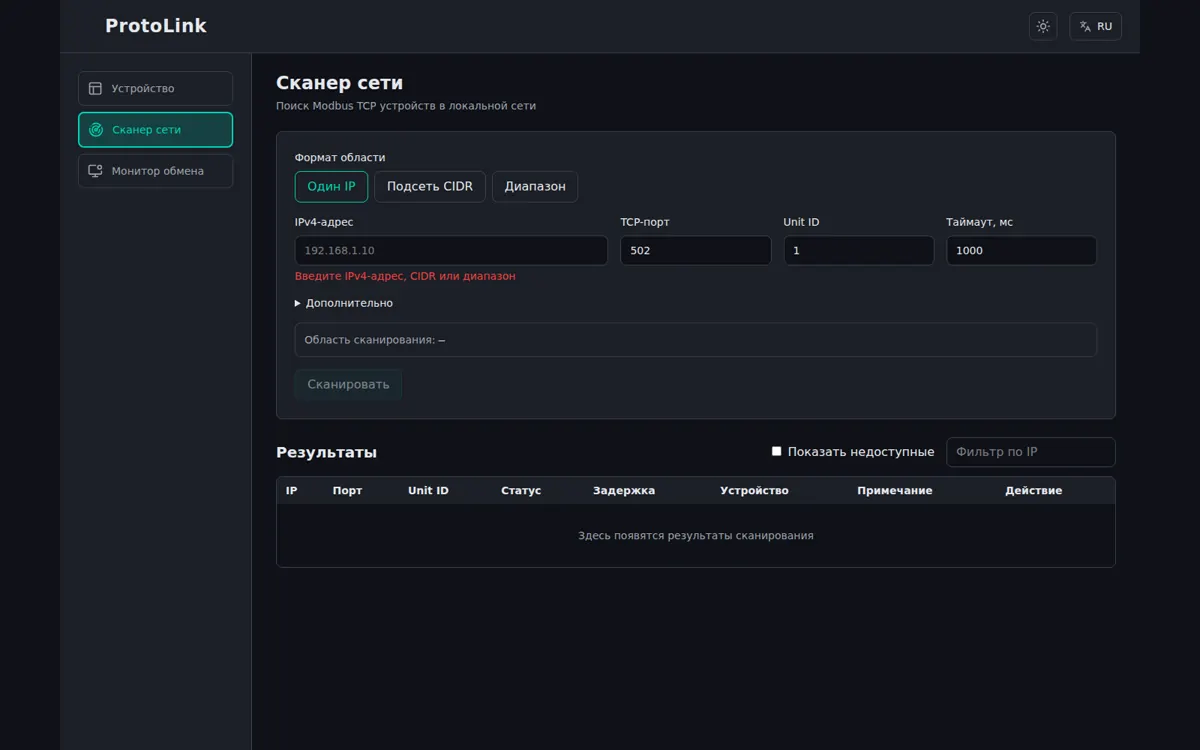
Network scanner
The scanner accepts a single IPv4 address, a CIDR subnet, or a range, checks the specified port and Unit ID, and lets you transfer a discovered device directly to the connection form
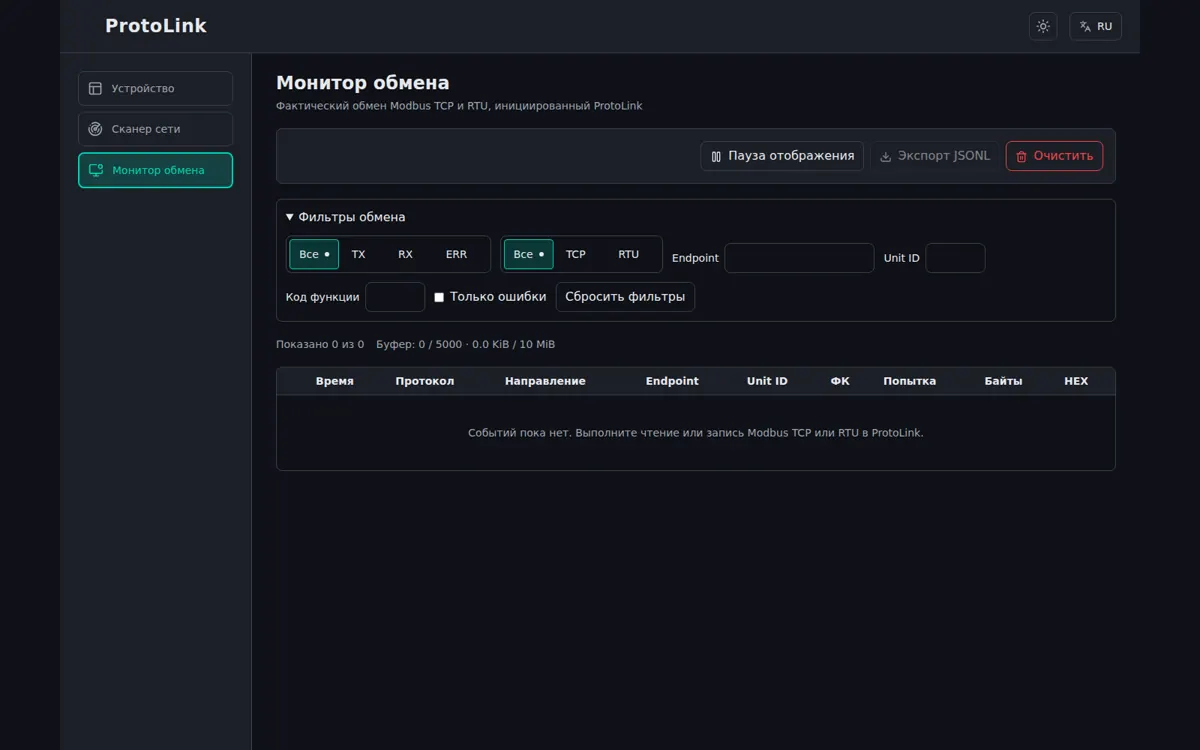
Traffic monitor
The monitor shows TCP and RTU traffic, TX/RX directions, function codes, attempts, duration, and HEX. Filters and JSONL export help troubleshoot unstable connections and device errors
Operations
FC01 / FC02
Coils and discrete inputs
FC03 / FC04
Holding and input registers
FC05 / FC06
Single writes
FC15 / FC16
Multiple writes
Version 1.4.0
x64
Windows 10/11 x64
amd64
Linux x86_64, glibc 2.36+
arm64
macOS arm64 (Apple Silicon)